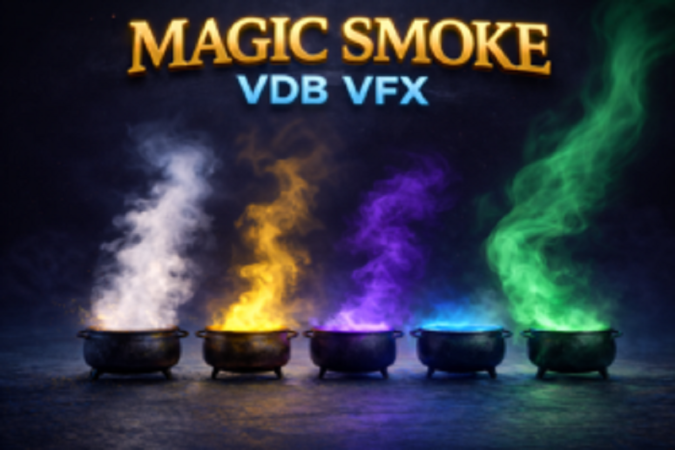
Magic Smoke VDB VFX is a set of five volumetric VDB effects featuring magical smoke, presented as colorful volumetric smoke streams emanating from alchemical cauldrons. These effects are designed for use in cinematics, trailers, creative videos, and VFX scenes that require a dramatic, magical atmosphere.
Advantages of this VDB set:
5 magical VDB smoke effects
Alchemical cauldron as an effect source
Loop animations: infinite playback without noticeable transitions
Customizable parameters: color and intensity
Volumetric VDB: rich volume and a cinematic appearance
Recommended for creative projects: cinematics, trailers, motion design, magical and designer VFX
How to use?
If you plan to transfer the effects to your project, you must copy the “MagicSmokeVDB” folder to the “Content” folder of your project (UE 5.5 or higher). In the project settings, enter “Heterogeneous Volumes (Beta)” in the search bar and enable the “Heterogeneous Volumes (Beta)” parameter.
Place the effect class actor on the stage, for example: “BP_CauldronSmokeArcaneMist”
Set the effect scale within the BP class in the “HeterogeneousVolume” component.
Set the color, intensity, and character of the smoke in the material class, for example: “SmokeArcaneMistMat_Inst”
If you don’t plan to use the actor class with the default model and effect, but only the effect, then you need to drag the “Heterogeneous Volume” component onto the stage in “Place Actors.” In the component’s Details, find the “Materials” tab and apply a material instance, for example: “SmokeArcaneMistMat_Inst”
Scroll down to the “Animation” tab and adjust the “Frame Rate” to your preferences. Don’t forget to check the “Playing” and “Looping” boxes. Note:
VDB effects are used as artistic elements, do not support physical interaction, and are best suited for cinematics, trailers, and scenic visualization.







![[Blueprint] Array Helper (5.6, 5.7)VIP](https://i2.wp.com/media.fab.com/image_previews/gallery_images/c59837c7-8c58-46bb-bdb9-aa8e18e63d5a/dd351058-5f5c-49f5-a9f1-32c1b6b84aec.jpg?w=100&resize=100,100&ssl=1 "[Blueprint] Array Helper (5.6, 5.7)VIP")

![BigMediumSmall – TOKYO BACK ALLEYS [UE Version]](https://gfx-station.com/wp-content/uploads/2023/12/FtyF9Cv-300x201.webp)