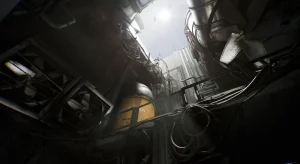
Unleash the full potential of your game/project with our feature-packed main menu, designed for effortless navigation and modern look.
Experience the difference:
- Effortless Integration: Seamless integration with a few clicks.
- Personalized play: Tailor your experience with extensive control, audio, and graphic rebinding options.
- A feast for the eyes: Immerse yourself in a visually stunning menu, crafted with the 3d space.
- Your style, your way: Customize every aspect of the interface with data tables
Don’t just start the game, embark on an adventure from the very first menu.
This isn’t just a menu, it’s an experience.
Version updates:
1.0.1 – Overlapping drop down menus in settings resolved
Technical details
Features:
- UMG based 3d space menu system at low cost
- Modular, customizable components
- Supports enhanced input binding
- Ability to use 3d features (niagara, lighting, camera movement etc.) in the menus
Number of Blueprints: 21
Important/Additional Notes:
- Use “L” to test Loading Menu, “Tab” to test escape or go back.
- You have to bind language options in the settings menu.
- You need to setup your project’s aspect ratio to 16:9 if you want to use 3d space features. You need to setup the widgets ratio accordingly if you want to change your project’s aspect ratio (default is 16:9).
- 3d models in the character screen are not included in the package.
Original_Link: https://www.fab.com/listings/6b9d3499-a3ea-4522-b17e-118becfc84b9








![[Blueprint] Array Helper (5.6, 5.7)VIP](https://i2.wp.com/media.fab.com/image_previews/gallery_images/c59837c7-8c58-46bb-bdb9-aa8e18e63d5a/dd351058-5f5c-49f5-a9f1-32c1b6b84aec.jpg?w=100&resize=100,100&ssl=1 "[Blueprint] Array Helper (5.6, 5.7)VIP")

![BigMediumSmall – TOKYO BACK ALLEYS [UE Version]](https://gfx-station.com/wp-content/uploads/2023/12/FtyF9Cv-300x201.webp)