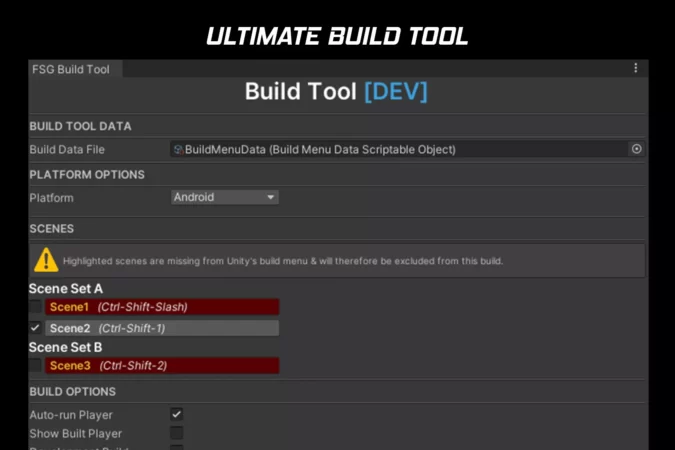
A build tool to help developers work smarter, not harder. Features include scene shortcut buttons, environment switching, automatic switch between stores, and much more.
- This build menu puts all the Unity features when creating a build in one place making it easy to access scenes, decide what to include/exclude from builds, change environments, add symbols, build for different stores, platforms, and more.
- Supports multiple environments such as Development, Staging, and Live (can be modified as needed).
- Source code available.
- Add define symbols through an easy dropdown menu to support different builds as needed (E.g. Amazon or UDP.
- Auto changes stores such as GooglePlay to Amazon.
- Fires events on Environment changes so you can run processes based on this environment change.
- Easily switch platforms (E.g. Standalone to Android)
Technical details
- Works with Unity 2019.X+
- Tested on Android, iOS, and PC Standalone platforms but can be extended to support other platforms too.
- Source code available
- Easily run actions on environment change
- Add/Modify/Delete supported environments and platforms.
Original_Link: https://assetstore.unity.com/packages/tools/utilities/ultimate-build-menu-233545